

Prerequisites
What You Need
Section titled “What You Need”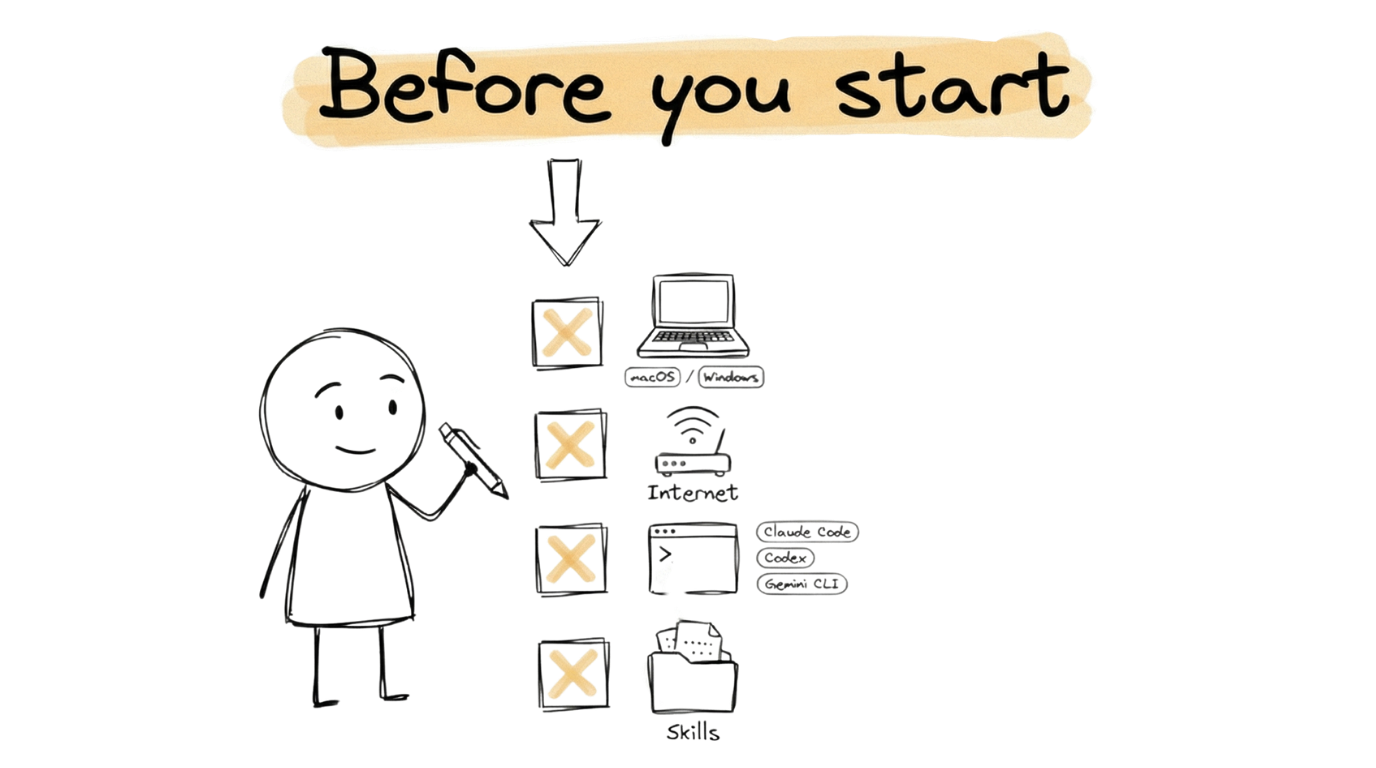
Before starting a VOSS Guide or a Book Lab, make sure you have the following:
- A computer running macOS or Windows. Any modern laptop or desktop will work — the AI coding assistant does the heavy lifting.
- An internet connection to access your AI tool, download software, and deploy your applications.
- An AI coding tool — Claude Code, OpenAI Codex, or Gemini CLI. See the Tool Setup Guides below if you need help installing one.
- CoEngineers skills — pre-written instruction files that give your AI tool specialised knowledge. See What Are Skills? below to learn how they work and how to install them.
AI Tool Setup Guides
Section titled “AI Tool Setup Guides”If you need help installing any of the AI coding tools, the Tool Setup Guides section covers everything step by step:
| Guide | What It Covers |
|---|---|
| Using the Terminal | Opening and navigating the terminal on macOS and Windows |
| Claude Code CLI | Installing and authenticating Claude Code |
| Gemini CLI | Installing and authenticating Gemini CLI |
| Codex | Installing and authenticating OpenAI Codex |
| Python and ReportLab | Installing Python 3 and ReportLab for PDF generation |
What Are Skills?
Section titled “What Are Skills?”
Throughout the Guides and Book Labs you will see references to skills. These are pre-written instruction files that give your AI coding tool specialised knowledge about a particular task. For example, the vault-validator skill knows the exact folder structure, required files, and YAML frontmatter rules for a CoEngineers vault. The offer-validator skill knows how to score your offer against the Hormozi Value Equation. Without skills, you would need to explain all of this context in every prompt.
A skill is a directory containing a SKILL.md file with two parts: YAML frontmatter that describes what the skill does, and Markdown instructions the tool follows when the skill activates. Skills can also include supporting files (templates, reference documents, and scripts) that the tool loads when needed.
How Skills Activate
Section titled “How Skills Activate”You do not need to memorise commands or learn a special syntax. Skills auto-activate when you describe a task in plain language. At the start of a session, your tool reads each skill’s name and description. When your prompt matches a skill’s description, the tool loads the full instructions and follows them. If you type “validate my vault,” the vault-validator skill kicks in automatically. If you type “score my offer,” the offer-validator skill takes over.
You can also invoke a skill directly by name (for example, /vault-validator in Claude Code, or $vault-validator in Codex). This is useful when you want to be explicit about which skill to use.
Where Skills Live
Section titled “Where Skills Live”Skills follow an open standard (Agent Skills) that works across Claude Code, OpenAI Codex, and Gemini CLI. Each tool looks for skills in specific directories:
| Tool | Project skills (shared via repo) | Personal skills (your machine only) |
|---|---|---|
| Claude Code | .claude/skills/<name>/SKILL.md | ~/.claude/skills/<name>/SKILL.md |
| OpenAI Codex | .agents/skills/<name>/SKILL.md | ~/.agents/skills/<name>/SKILL.md |
| Gemini CLI | .gemini/skills/<name>/SKILL.md or .agents/skills/<name>/SKILL.md | ~/.gemini/skills/<name>/SKILL.md |
Project skills live inside the repository and are shared with anyone who clones it. Personal skills live in your home directory and are available across all your projects.
How Skills Get Installed
Section titled “How Skills Get Installed”Before starting a Book Lab or VOSS Guide, download the skills starter for your chosen AI coding tool:
| Tool | Skills Starter Download |
|---|---|
| Claude Code | skills-for-claude |
| OpenAI Codex | skills-for-codex |
| Gemini CLI | skills-for-gemini |
Unzip the download into your project directory and the skills will be discovered automatically by your AI coding tool.
Ready to Start?
Section titled “Ready to Start?”Head to the Vault Guide to begin. The recommended learning flow is: Vault, Offer, Book Ship, then Scale. The Vault guide walks you through setting up the knowledge base that powers everything else.