

Book 3: Vault
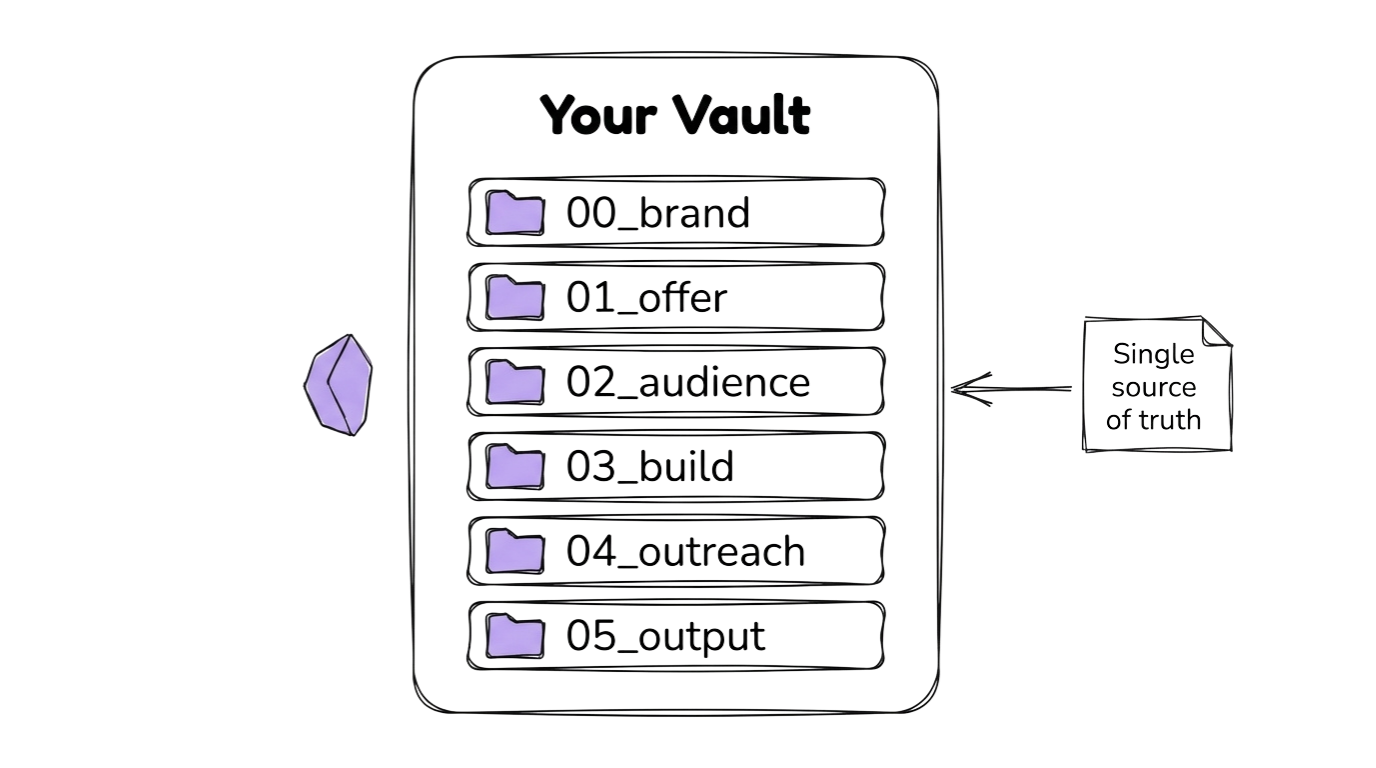
Your Water Tracker Vault
Section titled “Your Water Tracker Vault”Every piece of your Water Tracker project lives in the vault: the offer definition, the audience profile, the app spec, the outreach messages. If you built vaults in Books 1 or 2, you already know the structure. This time, the content changes to reflect a different product and a different audience.
The vault is the V in VOSS. It comes first because everything else depends on it.
What makes this vault specific to the Water Tracker
Section titled “What makes this vault specific to the Water Tracker”Your vault will contain files tailored to the water tracking product:
01_offer/offer_definition.md: What the Water Tracker is, who it is for, and the transformation it delivers (from “I probably drink enough” to “I actually know how much I drink each day”)02_audience/target_avatar.md: Health-conscious people aged 20-45 who know they should drink more water but have no system for tracking it. They have tried generic health apps or phone reminders but found them too complicated or too easy to ignore.03_build/app_prd.md: Four screens (Today, Log, History, Settings) that let someone track their water intake and build a hydration habit
Water tracking is the simplest product in the three-book series. Fewer edge cases than sleep data, fewer interface requirements than time boxing. If you have built either of the previous apps, you know the process. If this is your first book, the simplicity works in your favour.
Set Up Your Vault
Section titled “Set Up Your Vault”The full vault setup guide walks you through every step: downloading Obsidian, creating the 6-folder structure, populating files, completing them through an interactive Q&A, and validating the result.
What you will set up
Section titled “What you will set up”By the end of the Vault Guide, you will have:
- 6 folders with numbered prefixes (
00_brand/through05_output/) - 9 markdown files covering brand voice, offer definition, audience profile, app PRD, and outreach templates
- YAML frontmatter on every file with title, created date, status, and tags
- A validated vault confirmed by the vault-validator skill
Name your vault something like water-tracker or coengineers-water. When the guide references [path-to-your-vault], use the path where you created this vault.
What Comes Next
Section titled “What Comes Next”Once your vault is set up and validated, move on to the Offer page to define your Water Tracker offer, validate it with the Value Equation, and find your first 10 early adopters.